Case Study
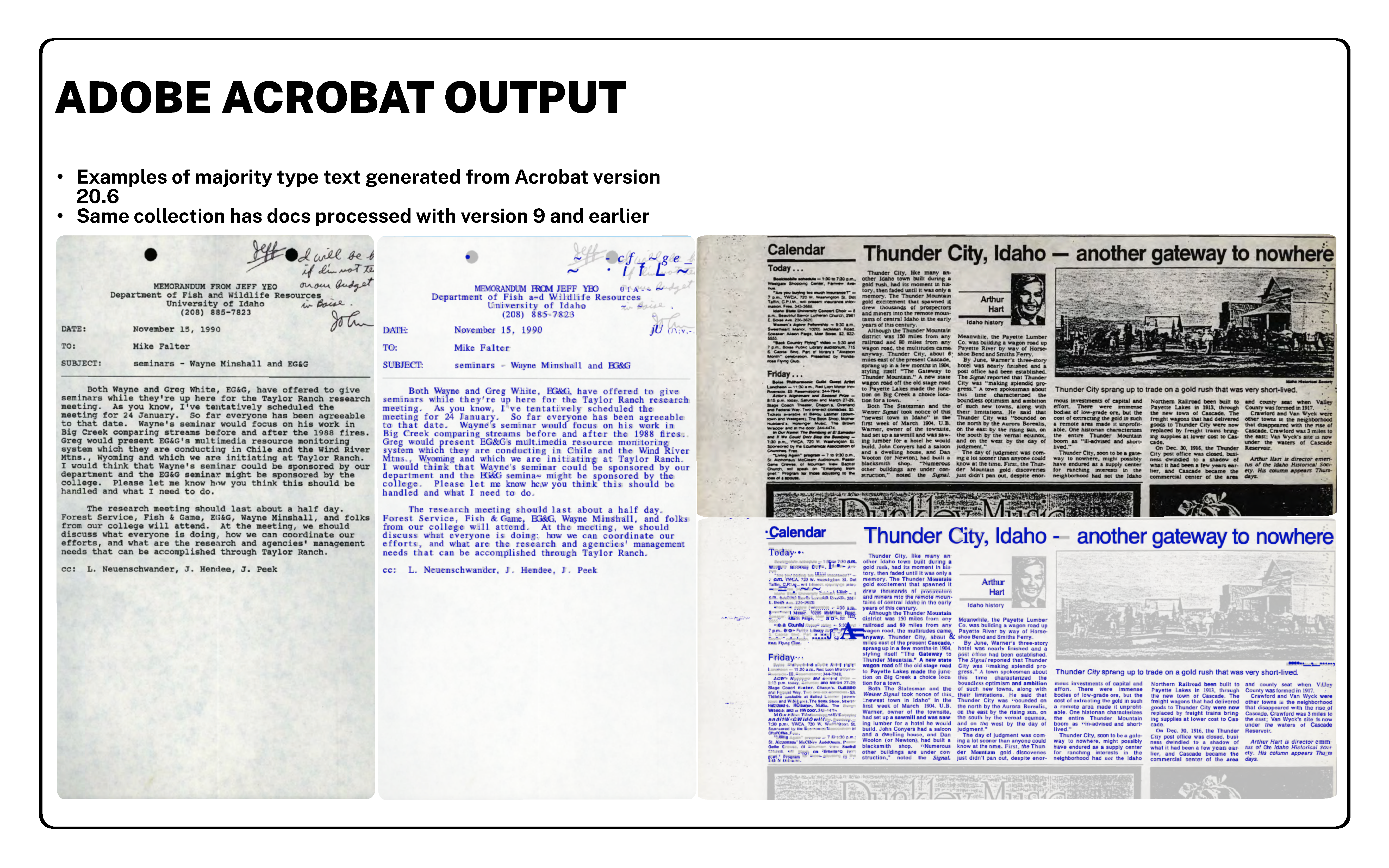
At the Center for Digital Inquiry and Learning, it has been standard practice to run all scanned PDF digital derivatives through Adobe Acrobat to generate a layer of OCR. In an early survey, I found that Adobe Acrobat accurately transcribes typewritten text fairly well, but had a steep decline processing handwritten (print or cursive) material, which makes up a large portion of the University of Idaho Library’s digitized archival documents.
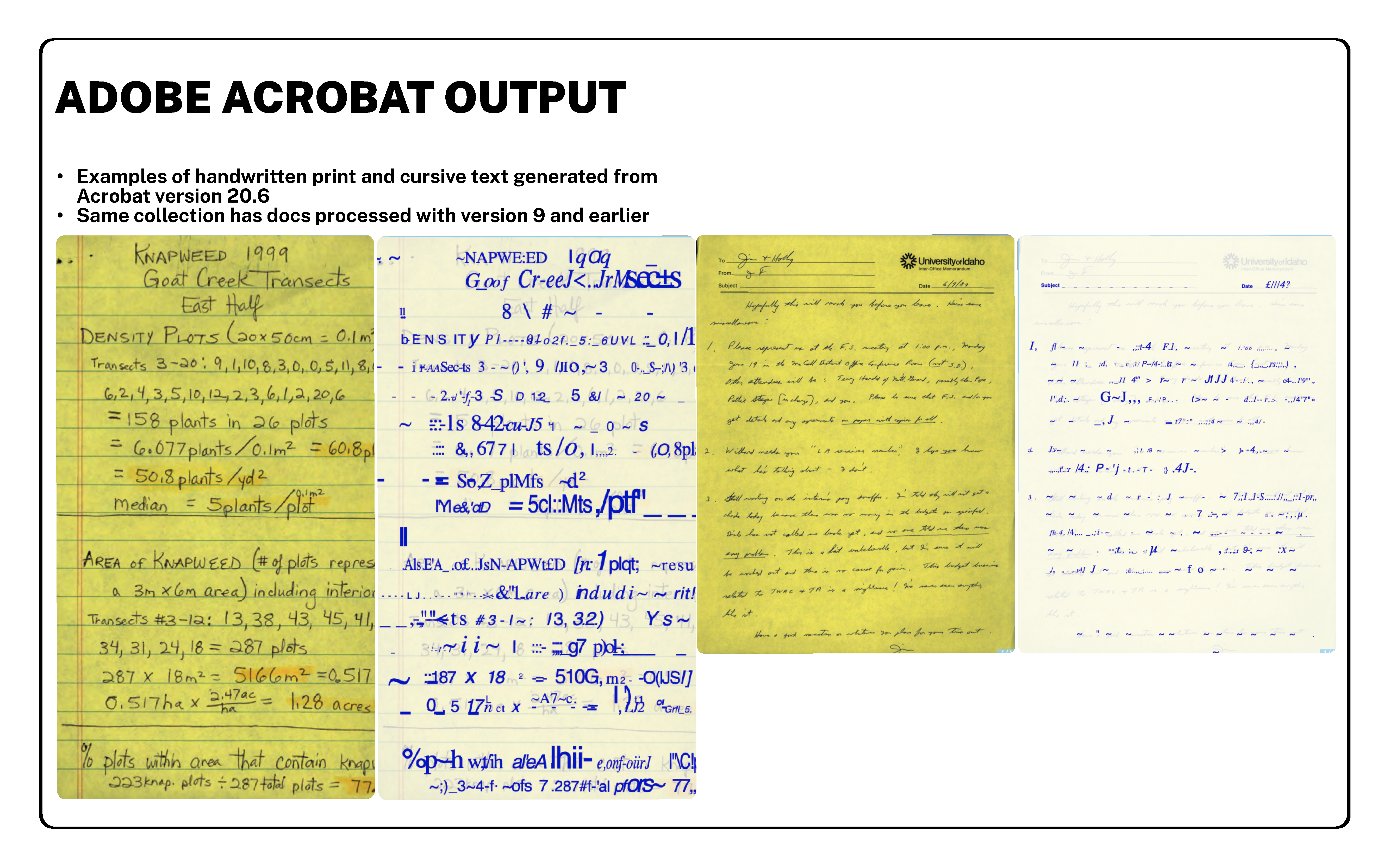
Adobe Acrobat also struggles to identify words in unconventional formats, such as diagrams, bolded titles, and signs. Since staff at CDIL have been digitizing materials for over ten years, it’s reasonable to assume that the transcription quality of documents processed with older versions of Adobe Acrobat are even less accurate than the results of our test with the current version. Based on these conclusions, I decided to focus on an OCR tool that can reprocess nearly 18,000 documents across our digital collections, rather than surveying and cherry-picking collections known to have particularly poor-quality OCR.
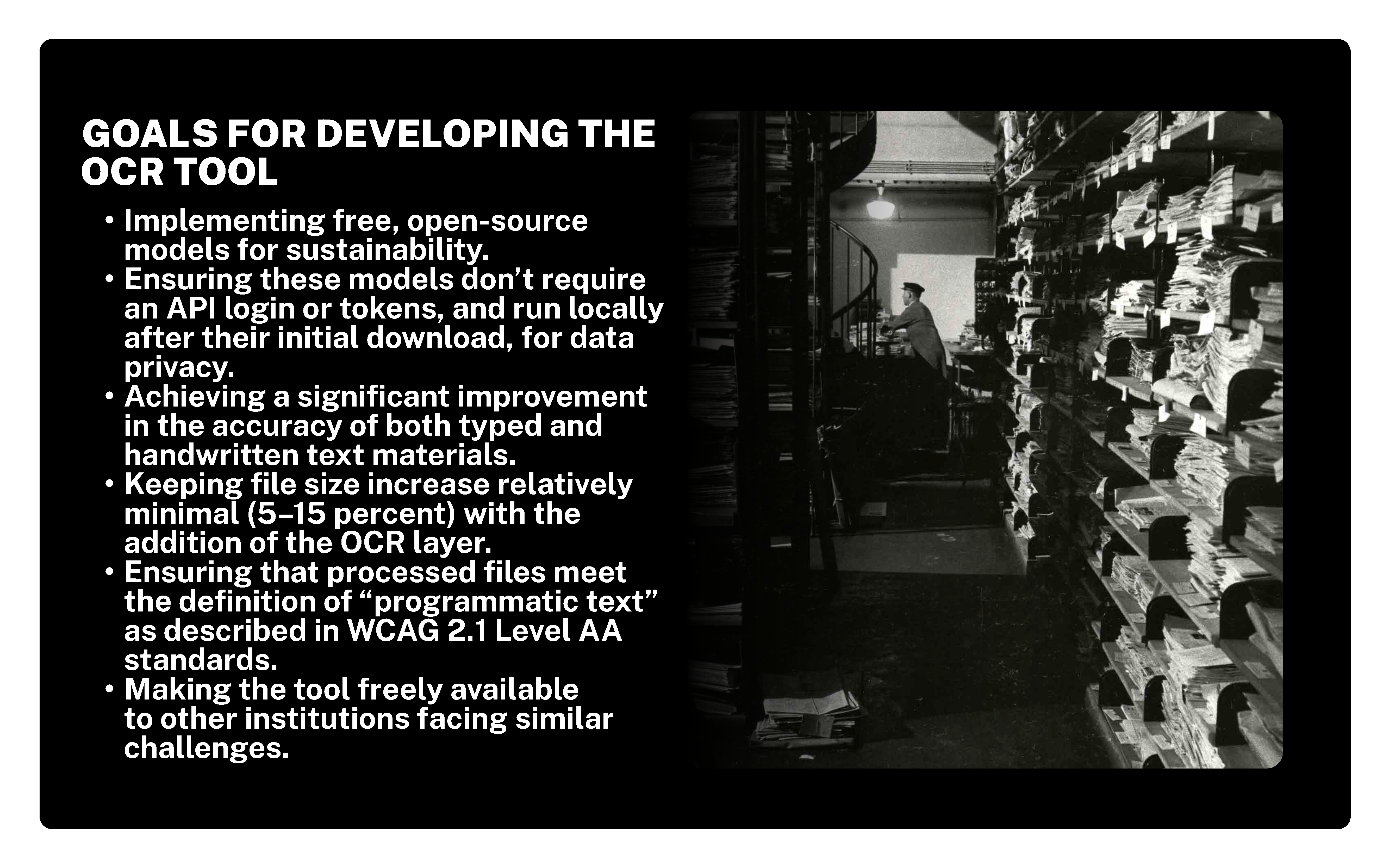
My goals in developing this OCR tool continue to be:
- Implementing free, open-source models for sustainability.
- Ensuring these models don’t require an API login or tokens, and run locally after their initial download, for data privacy.
- Achieving a significant improvement in the accuracy of both typed and handwritten text materials.
- Keeping file size growth relatively minimal (5–15 percent) with the addition of the OCR layer.
- Ensuring that processed files meet the WCAG definition of “programmatic text”.
- Making the tool freely available to other institutions facing similar challenges.
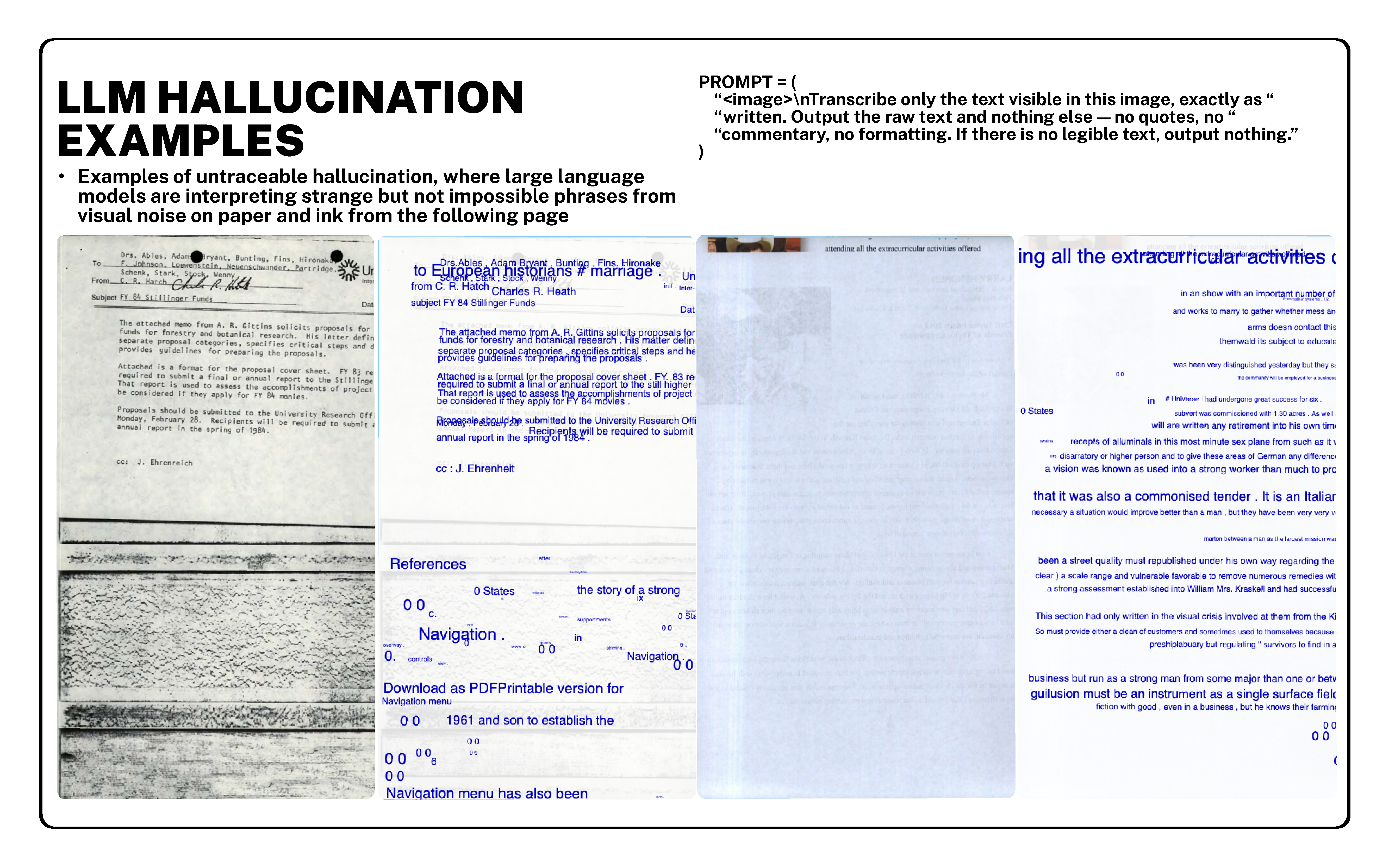
In summer 2025, I began by testing the three open large language models that produced the hallucinations which I shared with you earlier and will continue to pepper throughout the talk. The findings highlighted a fundamental danger in incorporating LLM processes in the archives: untraceable errors. When an LLM is prompted to identify the words on a page, it is inherently prone to generating a solution based on context clues from legible material, one that may not actually reflect what’s in the text. Moreover, these hallucinations may be nearly impossible to identify and correct, because they look and sound, more or less, like the natural human language that the model was trained on. Note in this example on the left how the visual noise of the source material follows a nonsensical but consistent theme of “navigation”, “navigation menu” and “navigation menu has also been”.
With this in mind, I pivoted to exploring neural networks and transformer models, which, in all of my testing, have not demonstrated a vulnerability to hallucination and more accurately reflect what’s on the page, including illegible characters, crossed-out passages, and misspellings.
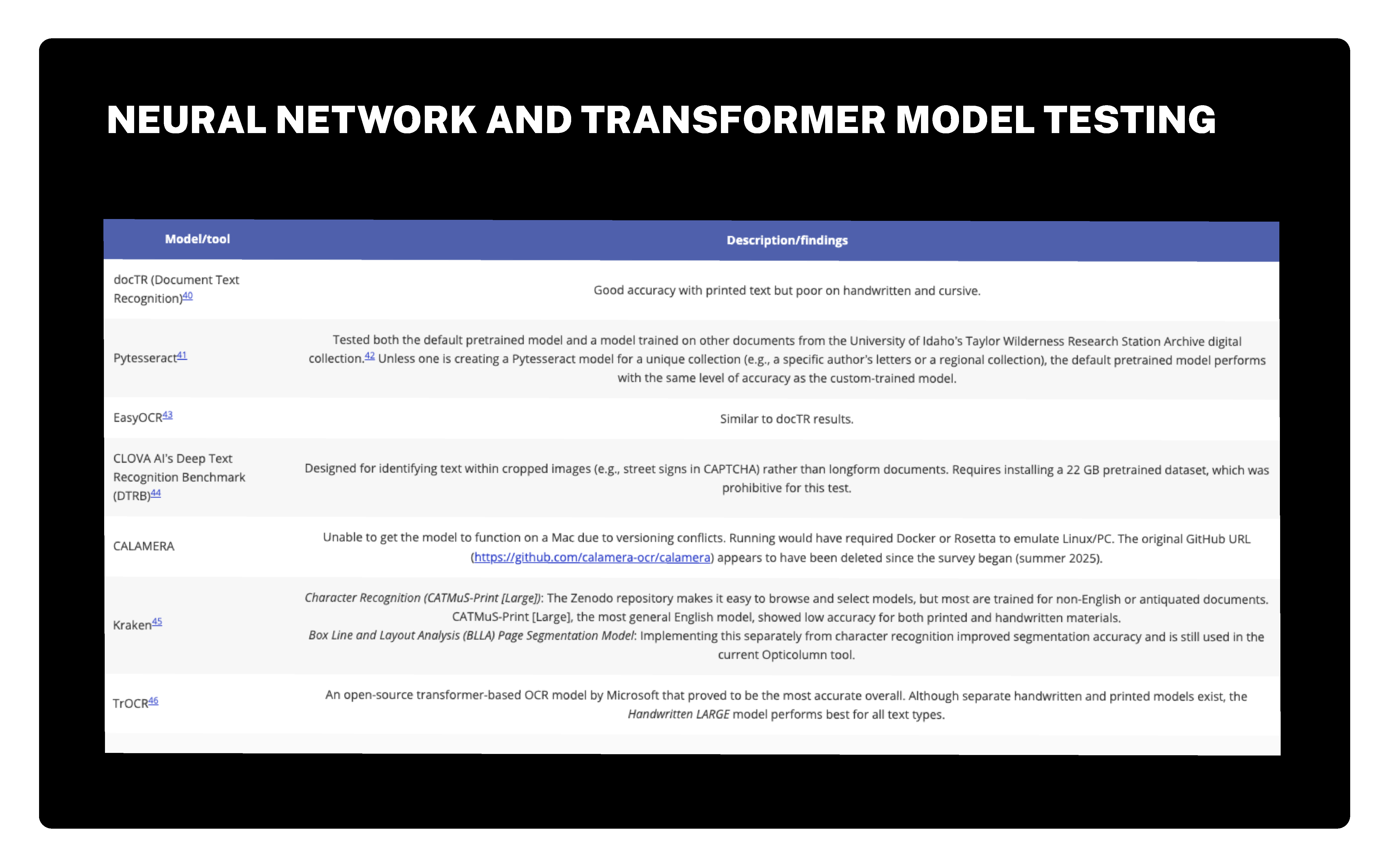
The following is a list of these models, along with brief notes on each one’s performance. All of the tools here are text recognition models, except for Box Line and Layout Analysis (BLLA), which is a page segmentation model that helps cluster groups of text specifically for archival materials.
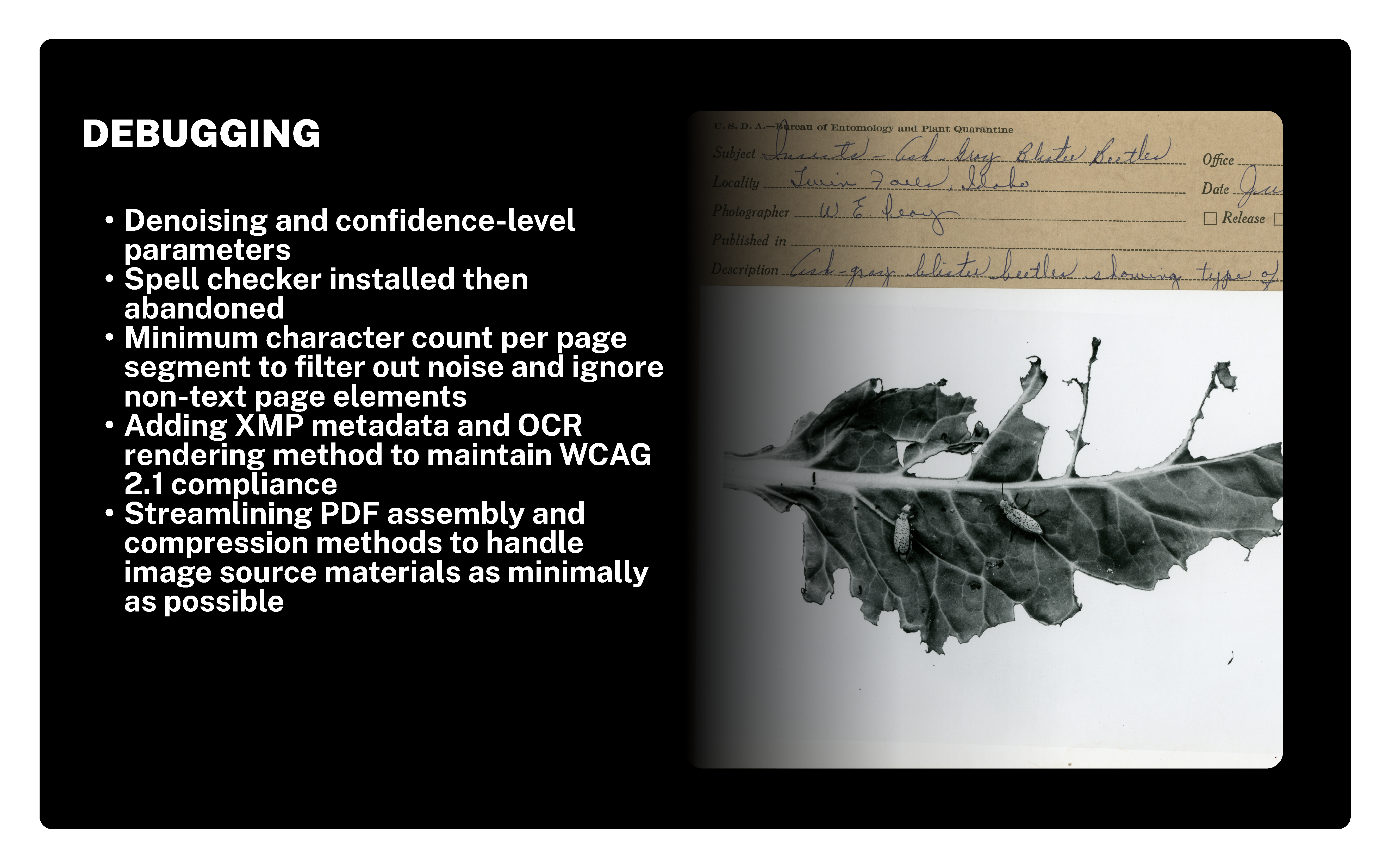
Once this model and TrOCR emerged as the top candidates for Opticolumn, an endless period of debugging began. Denoising and confidence-level parameters boosted accuracy. Various spell checkers were implemented but they ultimately introduced more false positives than they fixed. Setting a minimum character count per page segment helped filter out noise and misidentified characters potentially lurking in illustrations. Finally, adding XMP metadata and streamlining PDF assembly resolved accessibility flags while keeping file sizes reasonable.